> ## Documentation Index
> Fetch the complete documentation index at: https://docs.qontext.ai/llms.txt
> Use this file to discover all available pages before exploring further.
# Retrieval logs
> Access retrieval logs for visibility and auditability
## Overview
Retrieval logs show which context was accessed by which client.
Use them to:
* Understand what context an agent retrieved
* Trace outputs back to specific files
* Verify that clients use the expected context
* Audit access to your context repository
Logs are available per client and per file.
***
## **Per API key**
To inspect retrieval activity for a specific client:
Open **Clients**, select an API key, and go to **Retrieval logs**.
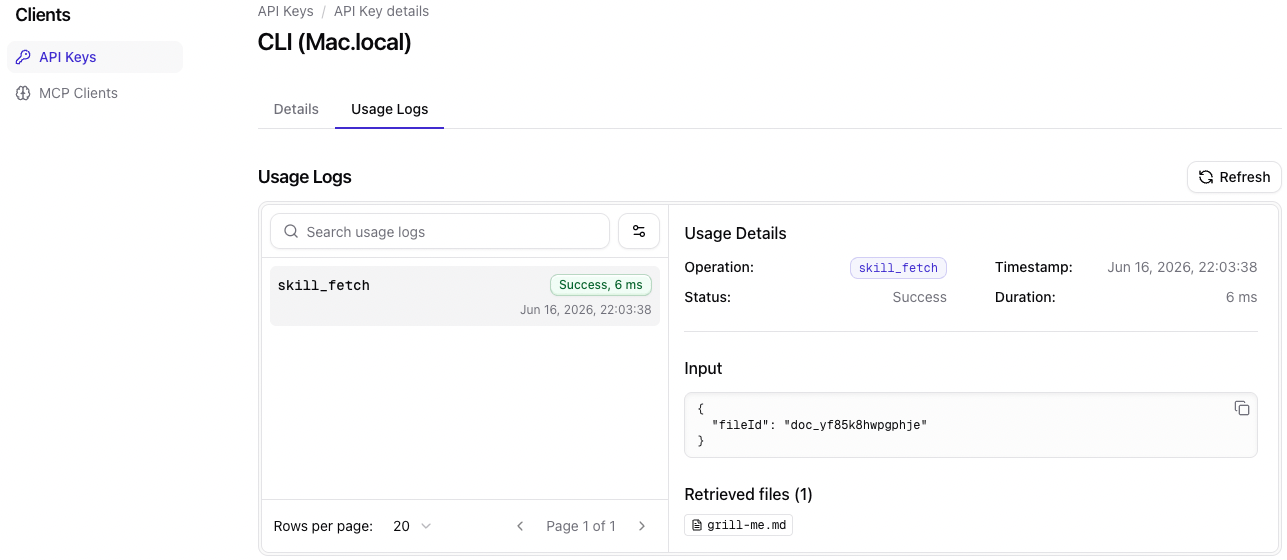 Typical use cases include:
* Debugging an agent
* Verifying client configuration
* Understanding retrieval patterns
* Investigating unexpected outputs
***
## **Per file**
To inspect retrieval activity for a specific file:
Open a file in the **Context** tab and check the retrieval logs in the right-side panel.
Typical use cases include:
* Debugging an agent
* Verifying client configuration
* Understanding retrieval patterns
* Investigating unexpected outputs
***
## **Per file**
To inspect retrieval activity for a specific file:
Open a file in the **Context** tab and check the retrieval logs in the right-side panel.
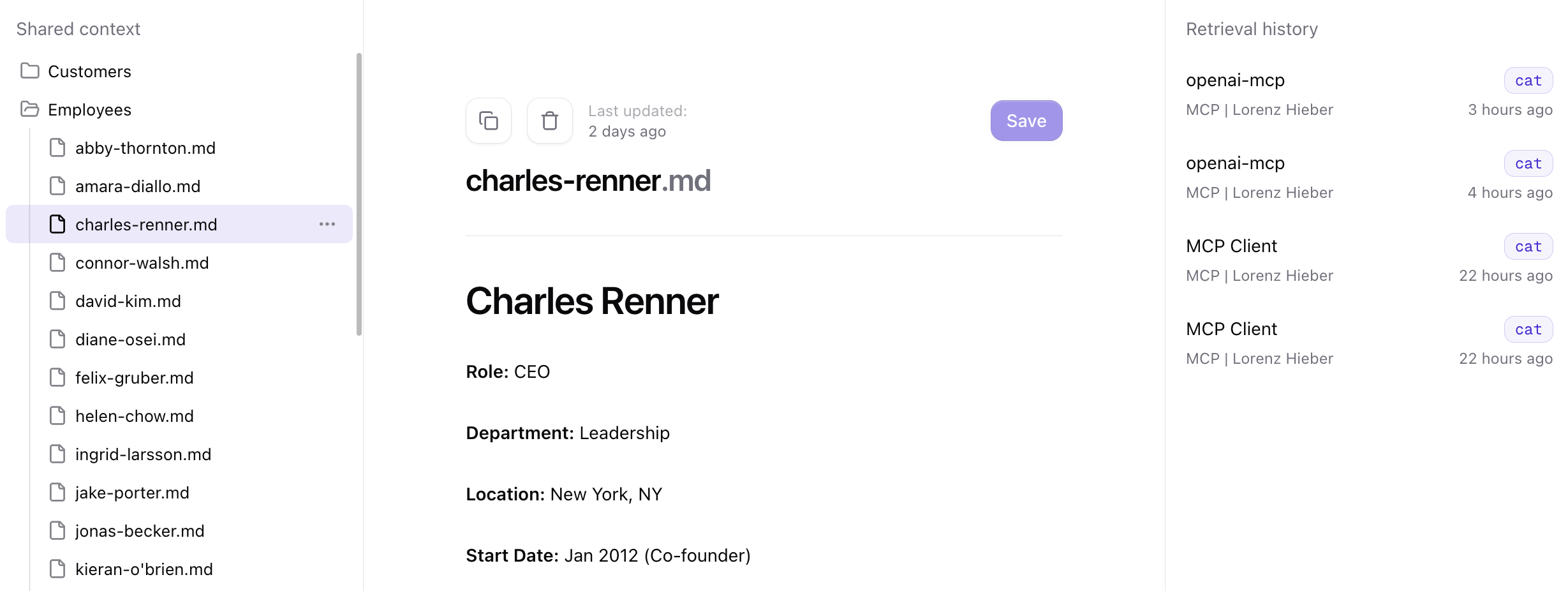 Typical use cases include:
* Understanding how often a file is used
* Seeing which context agents accessed
* Investigating why a file influenced a response
Typical use cases include:
* Understanding how often a file is used
* Seeing which context agents accessed
* Investigating why a file influenced a response