










Documentation Index
Fetch the complete documentation index at: https://docs.qontext.ai/llms.txt
Use this file to discover all available pages before exploring further.
Overview
The HubSpot connection lets Qontext securely and regularly read CRM data from your connected HubSpot account. That data is structured and stored in your Context Vault so your AI tools can use it for retrieval and answers.Only data that the connected HubSpot user can access is ingested. Use an account with access to the contacts, companies, and deals you want in Qontext.
| Object | Description |
|---|---|
Contacts | People and their key details from your CRM |
Companies | Organizations linked to your contacts and deals |
Deals | Sales opportunities and their pipeline stages |
Leads | Lead records and their properties |
Notes | Insights and updates added to CRM records |
Tasks | To-dos and follow-ups tracked in HubSpot |
Emails | Email conversations tracked and linked to contacts, companies, or deals |
Meetings | Scheduled or logged meetings with prospects or clients |
Calls | Call records associated with a contact or company |
Recommended setup
Use a dedicated integration user in your HubSpot workspace to ensure a stable connection.
The integration user will:
- Authenticate the connection between Qontext and HubSpot.
- Maintain consistent access to required HubSpot data.
Setting up the connection
You can connect HubSpot from your Qontext vault, authorize access in HubSpot, then choose what to sync and how often. The steps below walk you through the full flow.You can also manage all your credentials, including HubSpot, from the Credentials page. Credentials created there can be reused across any vault.
Open Data Sources in your vault
In the Qontext app, open the vault where you want to ingest HubSpot data, then go to the Data Sources tab and click Add data source.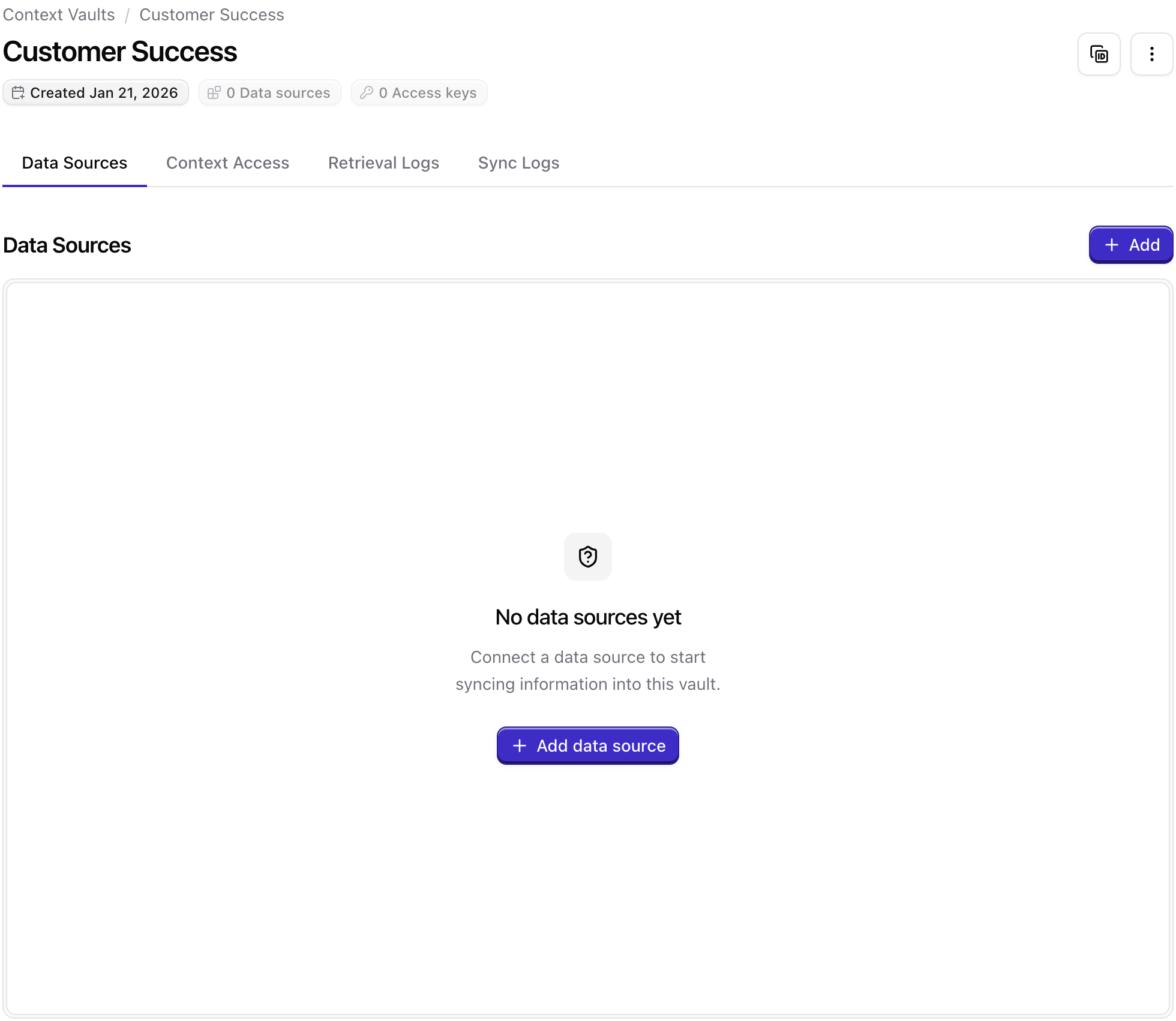
Select HubSpot as the data source
Choose HubSpot from the list of available data sources. This starts the HubSpot connection flow.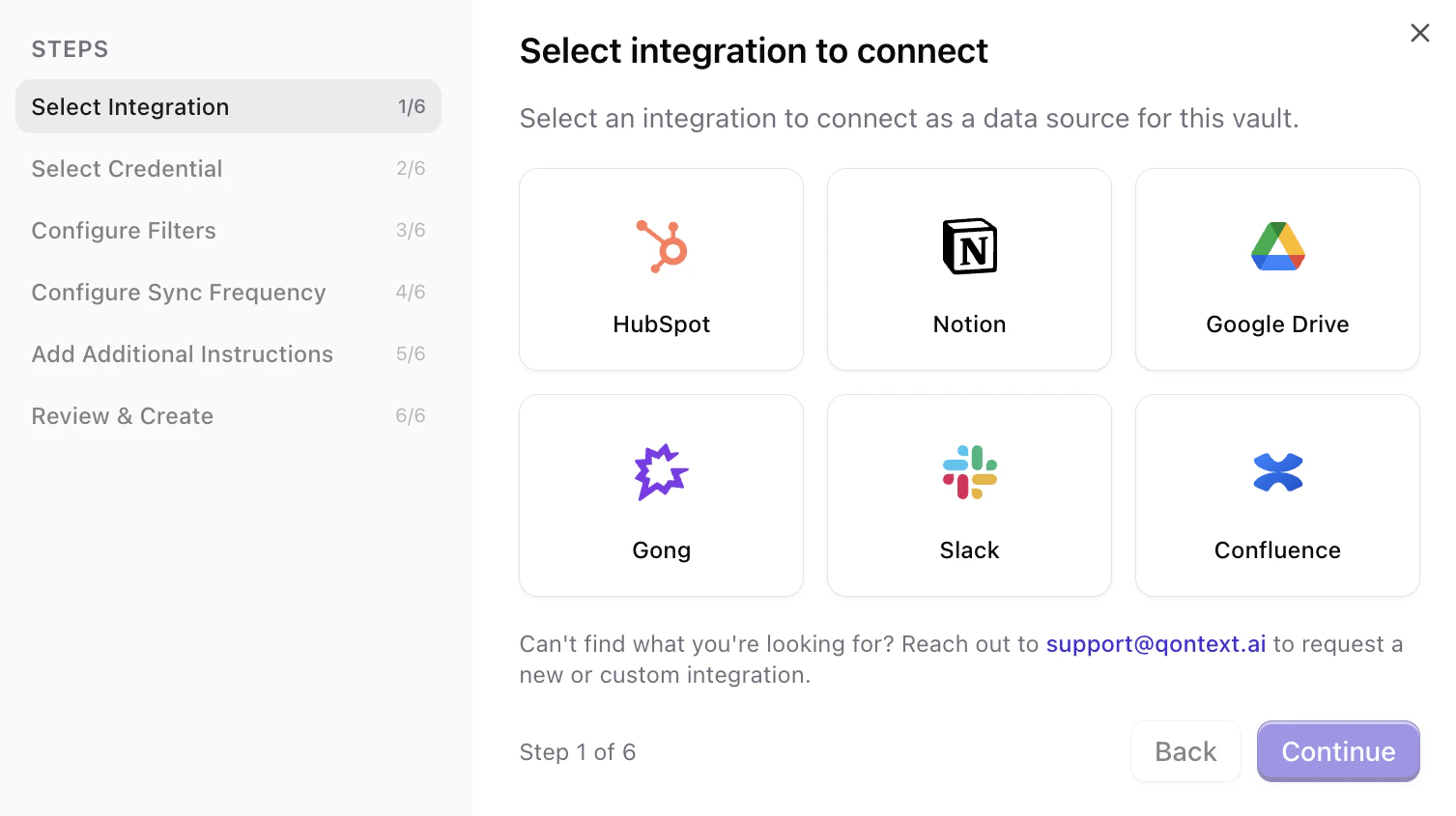
Connect your HubSpot account
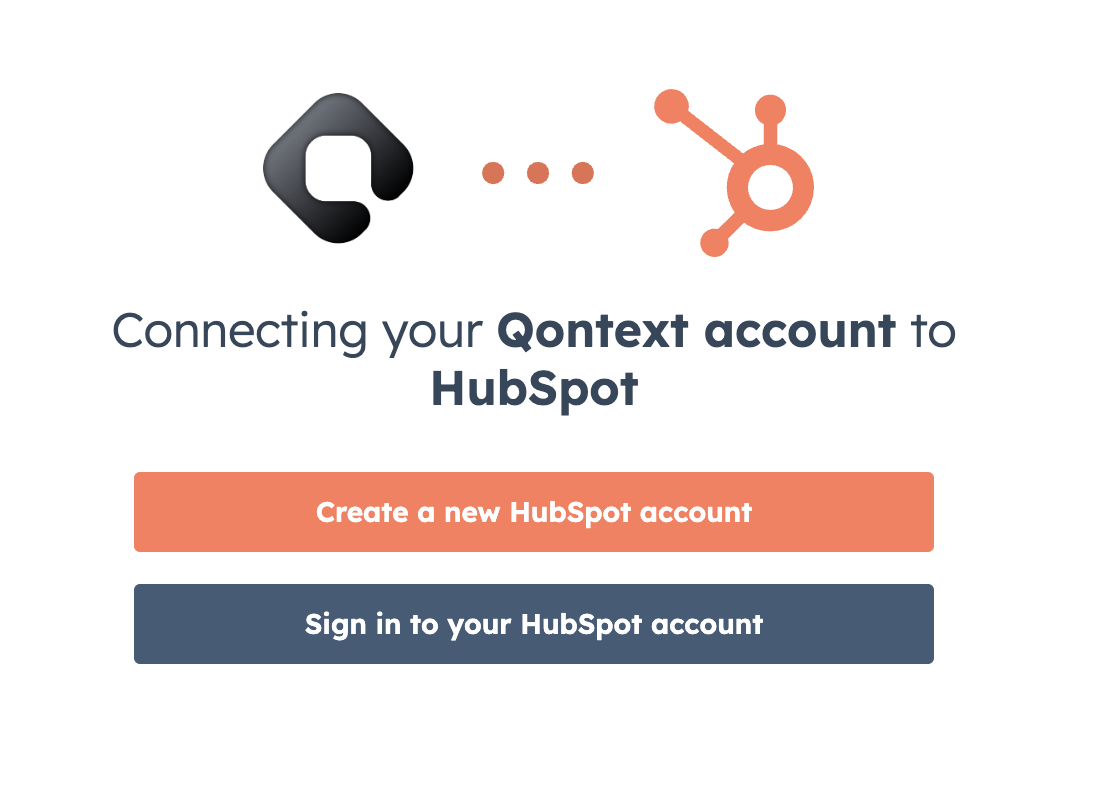
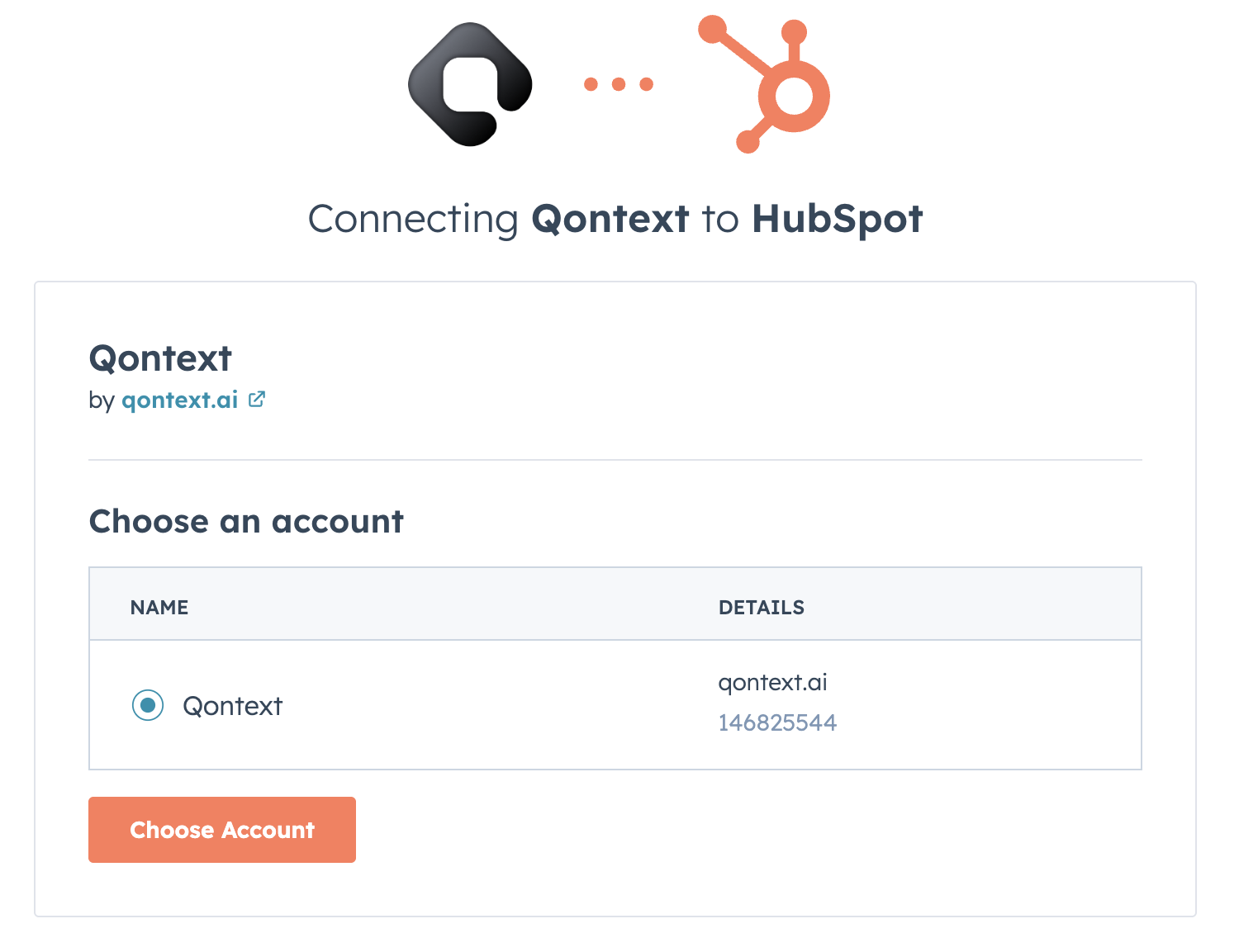
You can reuse an existing connection (if you’ve already connected this HubSpot account to Qontext) or create a new connection.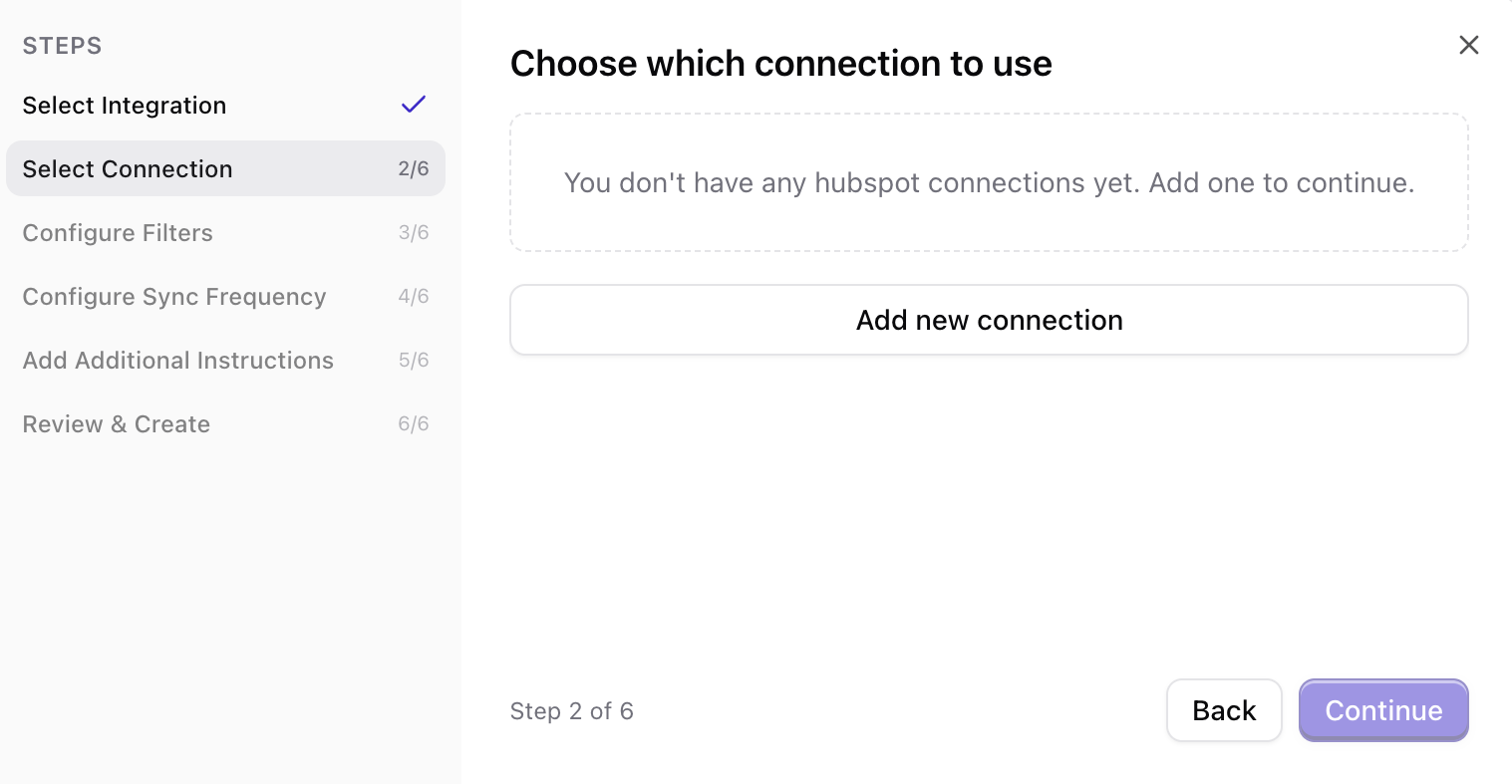
Configure what to sync (filters)
By default, Qontext can sync a broad set of data. You can narrow it using one or more of these options so only the data you need is ingested into your vault.
- Manual selection
- Select segment(s)
- Select deal pipeline(s)
- Select record type(s)
Pick specific contacts, companies, or deals by searching and selecting them. Use this when you only want a defined set of records.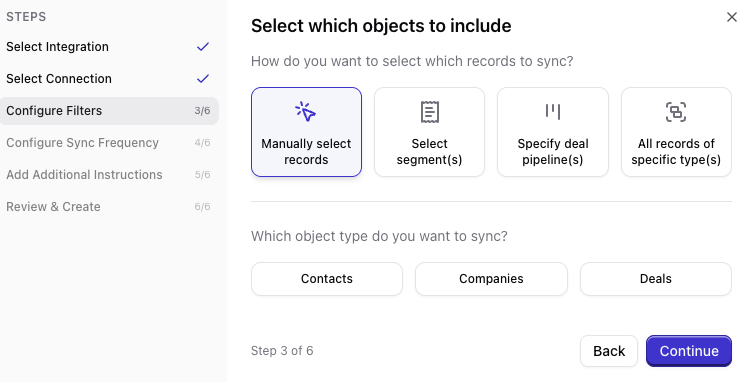
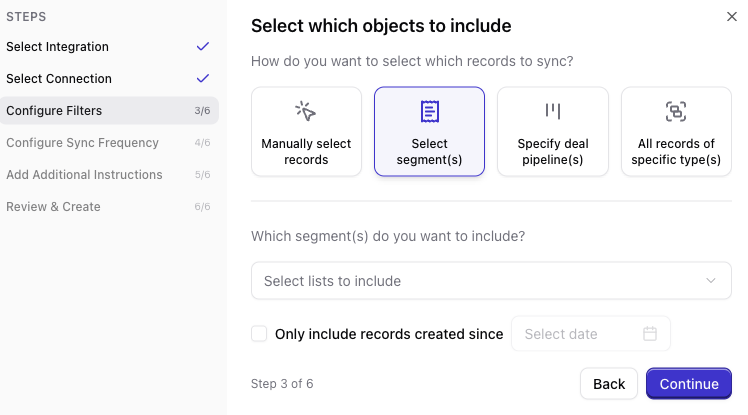
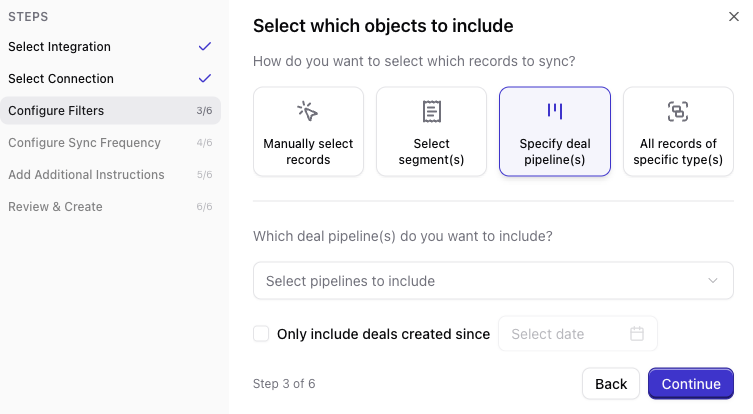
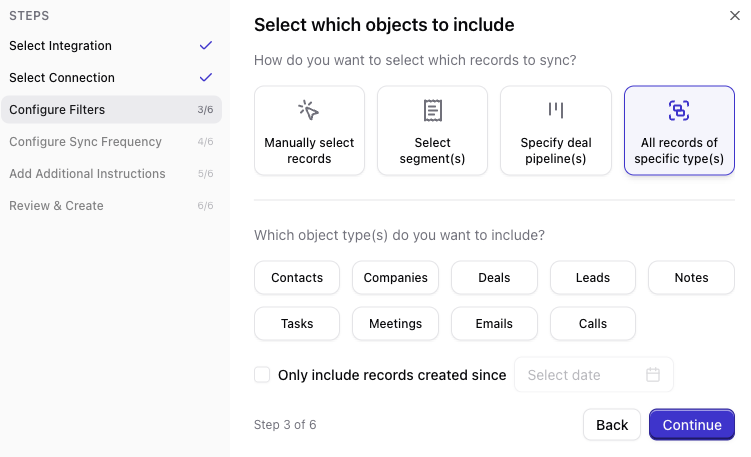
Set sync frequency
Choose how often Qontext should refresh data from HubSpot (e.g. daily, weekly, monthly). More frequent syncs keep the vault up to date but use more resources.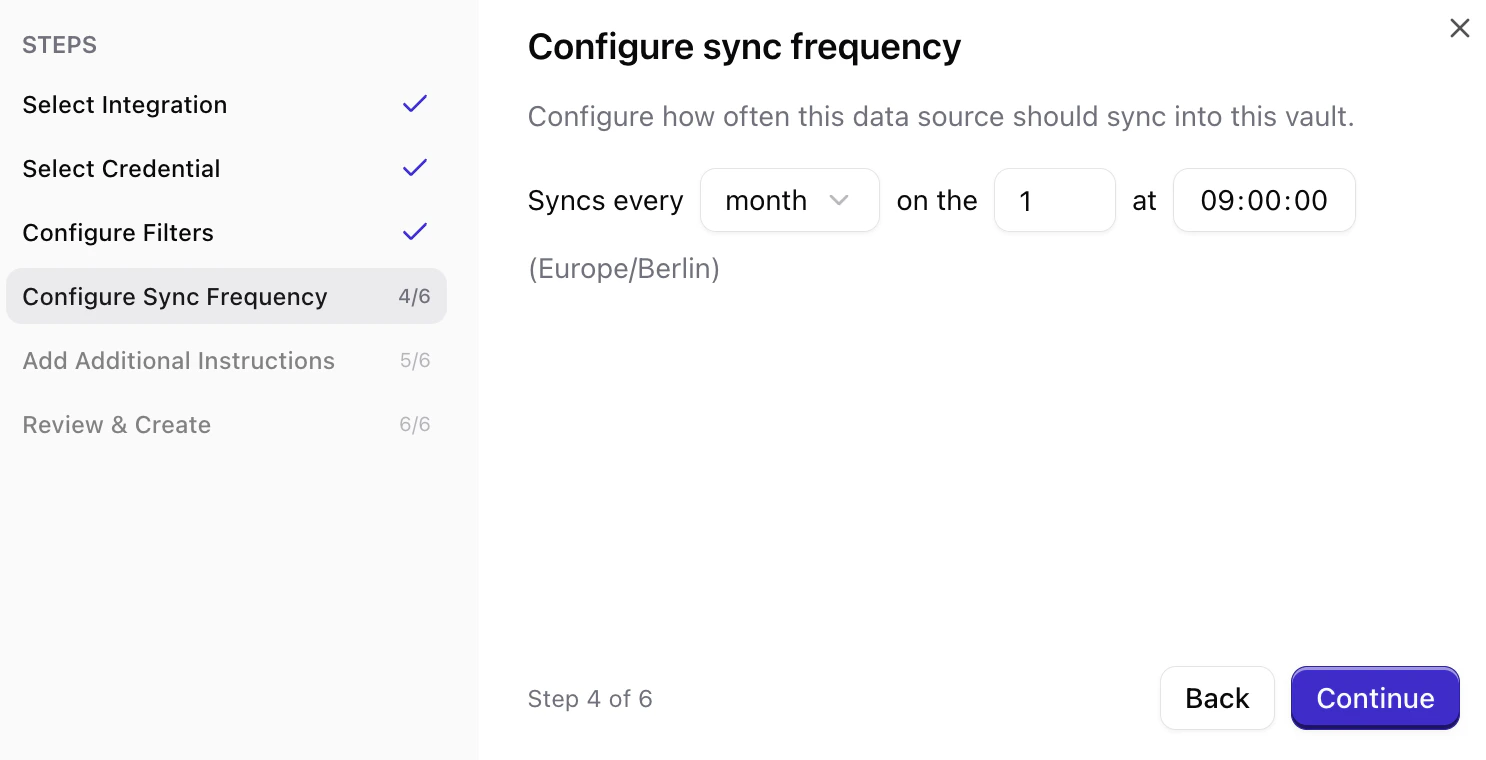
Set ingestion instructions (optional)
You can add ingestion instructions that tell Qontext how to interpret or prioritize the synced data (e.g. which fields matter most for context). This step is optional.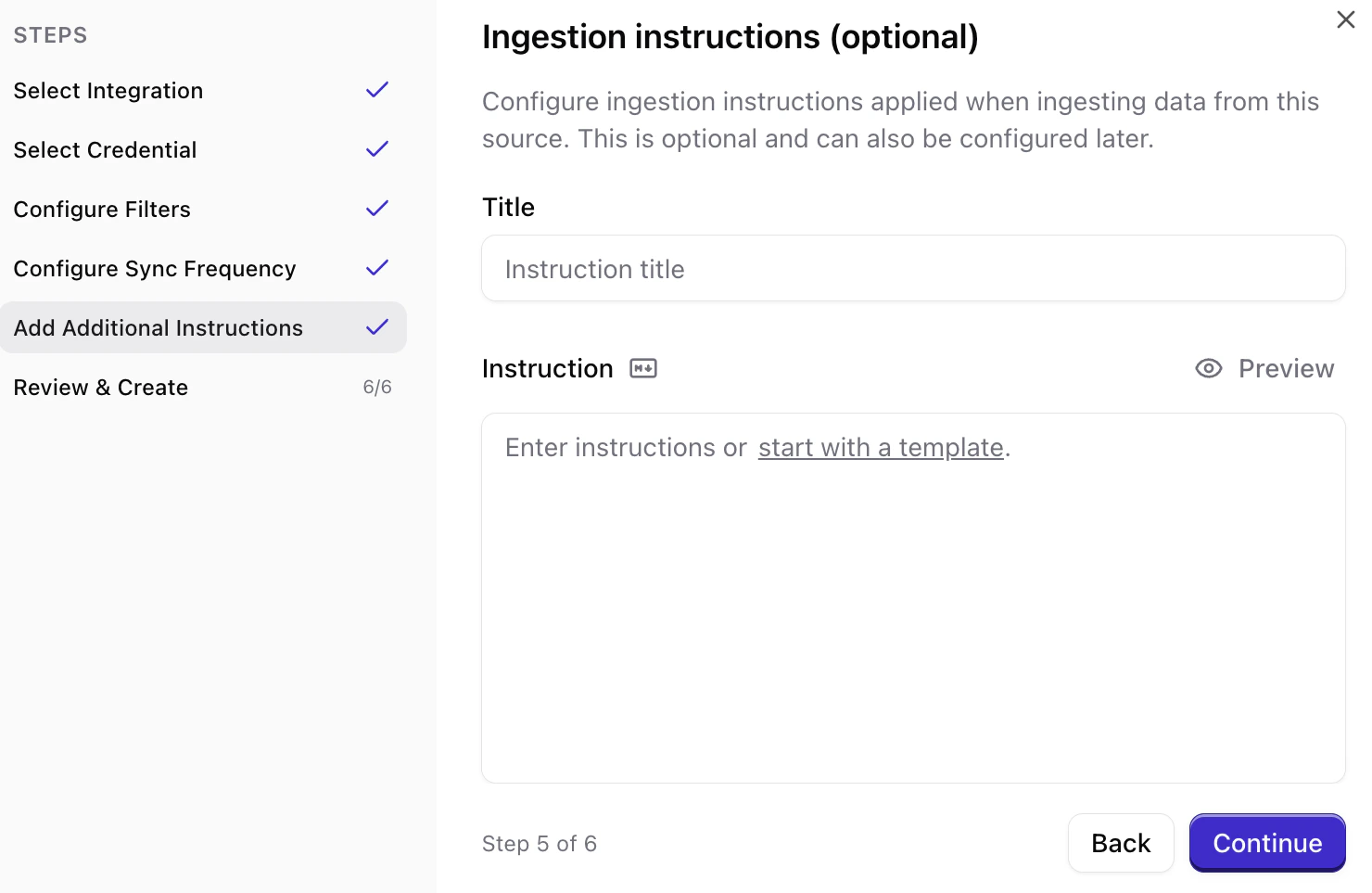
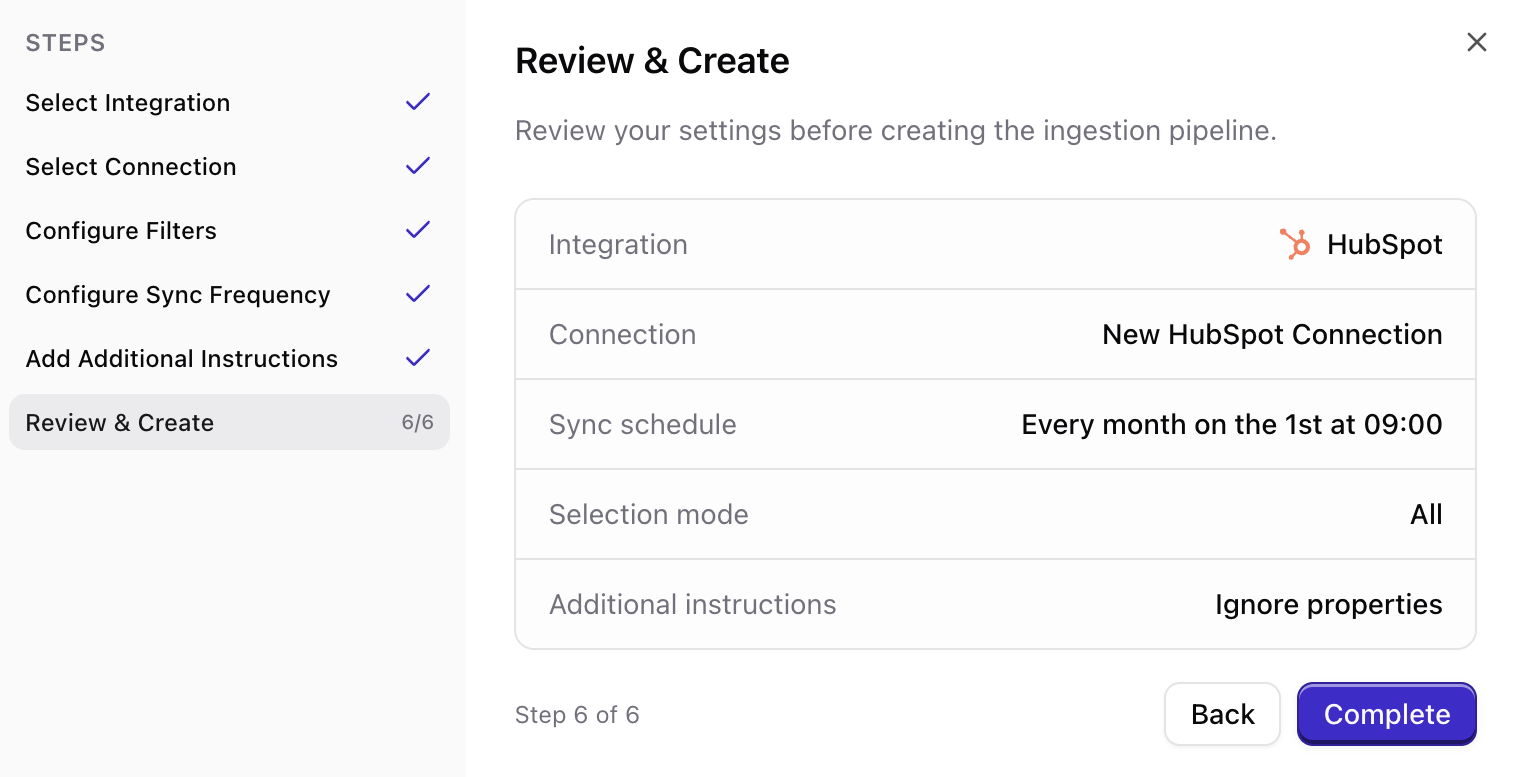
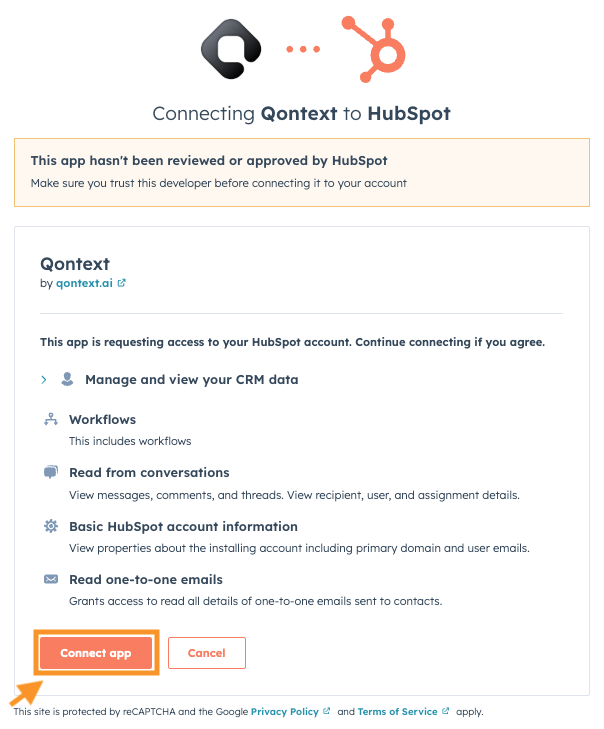
HubSpot OAuth scopes
When you create a new connection, you’ll see a consent screen listing the permissions (scopes) Qontext needs; they are read-only. You’ll see a section like (“Manage and view your CRM data”) with scopes such as:Sync latency
Qontext preprocesses and structures your HubSpot data before ingesting it into the vault. The first sync can take a while depending on how much data you’re syncing (contacts, companies, deals, etc.). As a guideline, allow up to 12 hours after creating the connection for the initial sync to finish.FAQ
Can I connect multiple HubSpot accounts?
Can I connect multiple HubSpot accounts?
Yes. You can connect multiple HubSpot accounts by following the steps above for each connection. Add each account from the Data Sources tab in your vault.
How do I manually refresh HubSpot data?
How do I manually refresh HubSpot data?
Manual refresh for HubSpot connections is available via the Data Sources tab.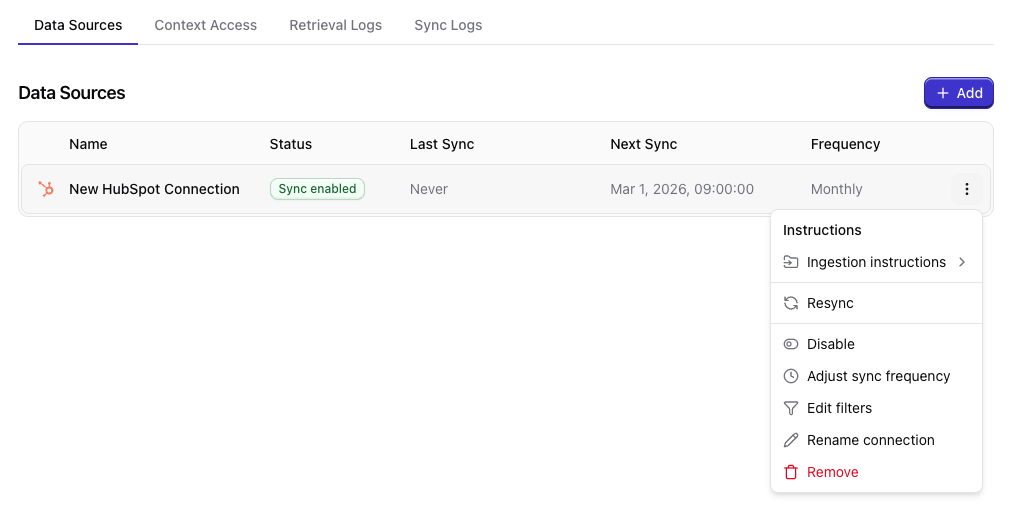
What happens if I disconnect HubSpot?
What happens if I disconnect HubSpot?
If you disconnect your HubSpot account from a connected Context Vault, no new data will be synced.
Existing HubSpot data in the vault will remain available for now.
An upcoming update will introduce configurable data retention options upon disconnection.
If you need to remove data for compliance or testing reasons, please contact support@qontext.ai.
Is my HubSpot data secure?
Is my HubSpot data secure?
Absolutely. All HubSpot data processed through Qontext is encrypted in transit and at rest. Qontext only accesses data you explicitly authorize via HubSpot OAuth scopes, ensuring your information remains secure and private.
Can I limit what HubSpot data Qontext can access?
Can I limit what HubSpot data Qontext can access?
By default, Qontext only ingests the data authorized through HubSpot’s OAuth scopes. Additionally, you can set filters when creating the HubSpot connection.
What happens if my HubSpot permissions change?
What happens if my HubSpot permissions change?
If the connected HubSpot user’s permissions are reduced or revoked, Qontext may lose access to certain data. To maintain uninterrupted syncs, we recommend using a dedicated HubSpot service account with stable permissions.
Can I reconnect HubSpot after disconnecting?
Can I reconnect HubSpot after disconnecting?
Yes. You can reconnect HubSpot at any time by going through the Data Sources tab in your Qontext vault. Once reconnected, Qontext will resume syncing automatically from where it left off.
What should I do if my HubSpot sync fails?
What should I do if my HubSpot sync fails?
Sync failures usually occur due to expired OAuth tokens or insufficient permissions. Try reconnecting HubSpot in your Data Sources tab. If the issue persists, contact our team at support@qontext.ai for faster troubleshooting.