

Overview
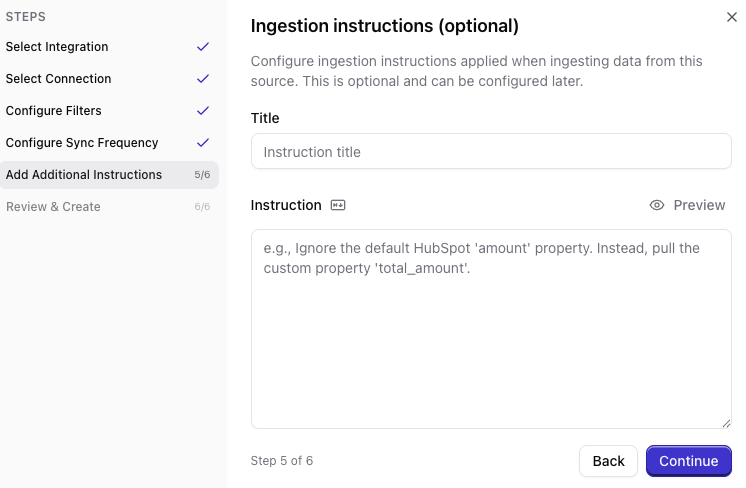
System instructions guide how Qontext interprets source data and how context is selected for clients. You can set instructions at two levels:- Source instructions define how data from a specific data source should be interpreted.
- Client instructions define how context should be selected and used for a specific API key or MCP client.
Source instructions
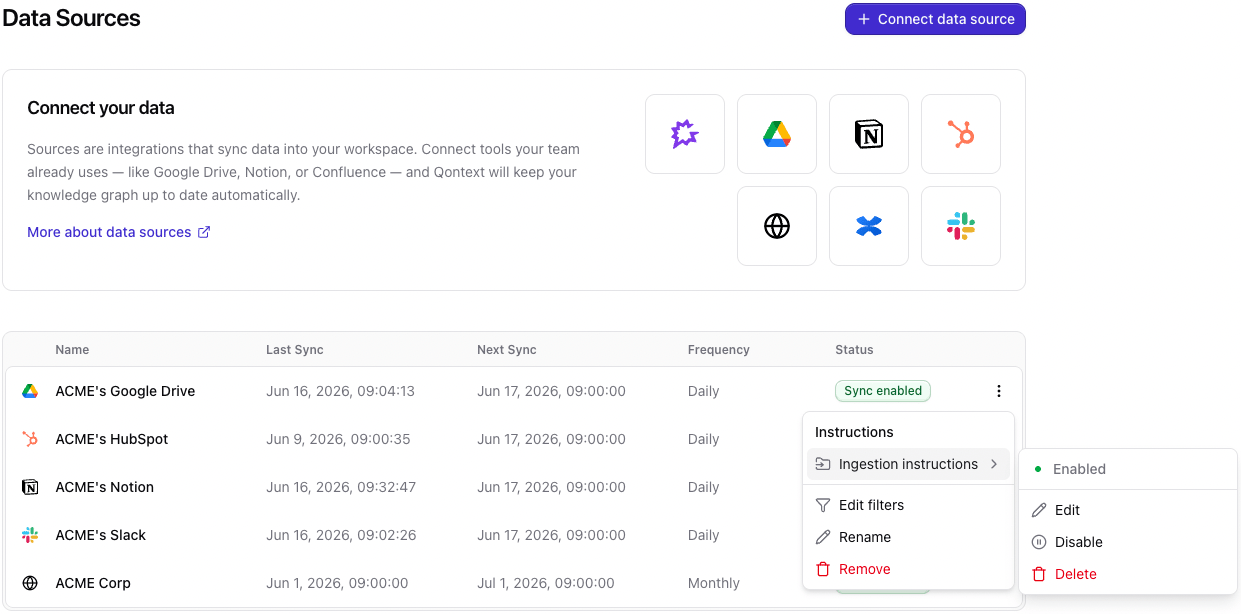
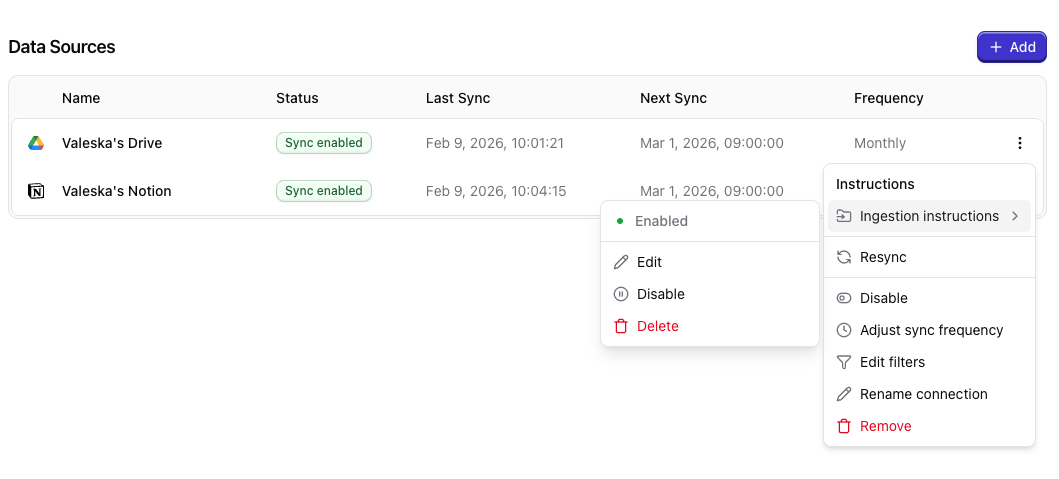
Source instructions apply to one connected data source. Use them for source-specific rules, mappings, and exclusions, such as:- which fields to ignore
- how internal field names should be interpreted
- which folders, channels, objects, or records should be excluded
- how a source’s records should be understood in business context
Examples
HubSpot:Client instructions
Use client instructions for use-case-specific retrieval behavior. You can add them when creating an API key under Clients. To edit or remove them later, open the client menu and update its instructions.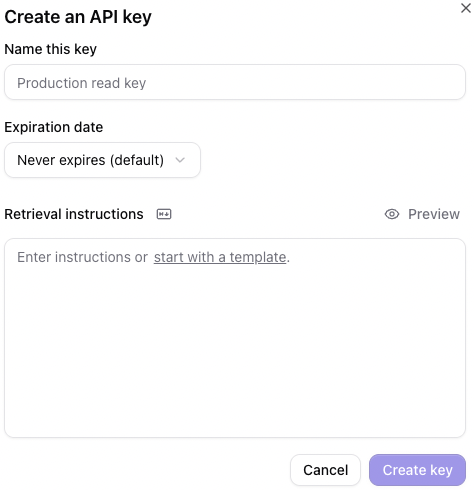
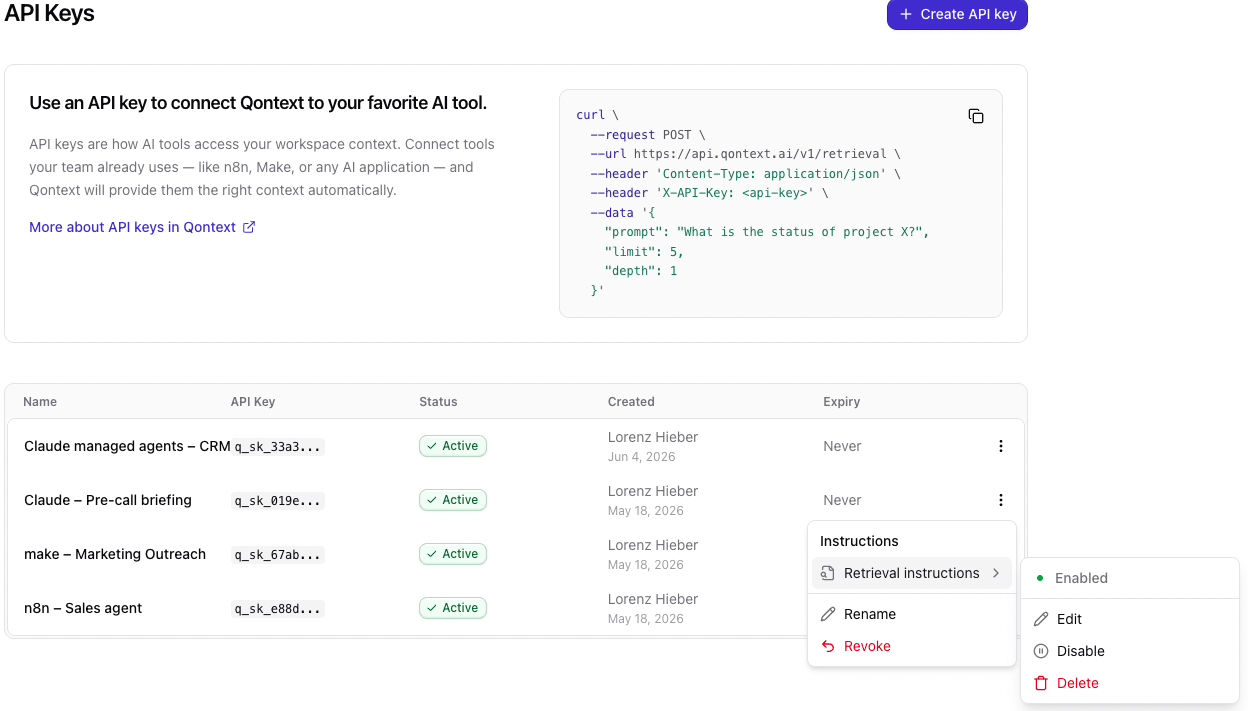
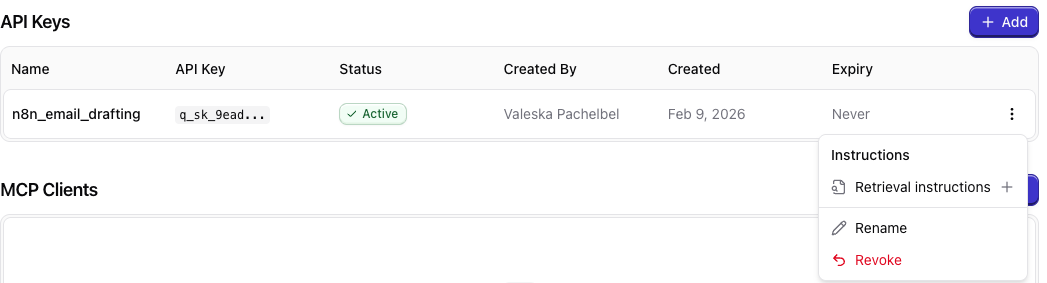
Example
Best practices
Create instruction top-downStart with data-source instructions for broad policy; add API-key instructions when you need finer control per consumer.
Avoid contradicting instructionsAvoid contradicting instructions across levels; more specific levels should refine broader ones.
FAQ
Do I need to set instructions on all levels?
Do I need to set instructions on all levels?
No, setting the instructions is not required on any of the distinct levels. However, we recommend to use them, as they can significantly improve your results by guiding the ingestion and retrieval in the right direction.