

Overview
A skill is a reusable package of instructions that an AI agent loads on demand. You can define a skill once with a name, description, and instructions body. The agent can activate it whenever a relevant task comes up. In Qontext, skills are managed centrally so they stay consistent across members and machines. Members install them once and keep them current withqontext skills sync. Skills managed in Qontext are interoperable, so you can use them on any client that supports the open Agent Skills format.
Anatomy of a skill
Name
A machine-readable identifier, lowercase with hyphens (e.g.
competitor-analysis).Description
What the skill does and when to use it. The agent reads this at startup to decide when to activate the skill.
Instructions
The full task instructions. Define what the agent should do, what data to draw on (data scope), and what format to produce (output format).
Supporting files
Optional scripts, reference documents, and templates, bundled in the skill folder and loaded only when needed.
Open format.Qontext skills follow the open Agent Skills specification. Skills work with any compatible AI tool and can be imported from a context repository.
Organize a skill
Keep each independently reusable skill in its own folder. The folder name must match thename in SKILL.md.
prepare-customer-meeting
SKILL.md
references
briefing-format.md
SKILL.md. Use focused supporting files when the skill needs more detail:
references/for documentation and detailed guidancescripts/for executable helpersassets/for templates, images, and other resources
Importing skills to Qontext
Use the import-repo skill to migrate existing skills from GitHub or a local folder into your context repository.The import-repo skill is designed for initial imports.After a successful import it removes itself from
~/.claude/skills/import-repo/. To import again later, reinstall it from the Qontext examples repository.1
Install client
Make sure Claude Code or another client is installed. The import-repo skill detects and sets up the Qontext MCP automatically if it is not already configured. You will be prompted to complete an OAuth flow on first run.
2
Download import-repo skill
Download the import-repo skill from the Qontext examples repository and place it in your Claude Code skills folder (
~/.claude/skills/import-repo/).3
Import skills
In Claude Code, ask it to import your skills:
“Import my skills from [GitHub URL or local path] to Qontext.”The skill guides you through scope, file handling, and target path, then bulk-imports everything into your workspace. Folder descriptions such as
index.md or README.md become the folder’s structure file, and relative links are rewritten to Qontext references.4
Go to Qontext
Once complete, the imported skills appear as files in the context repository, visible under Context in your workspace.
Distributing skills
Once a skill is stored in Qontext, teammates can install it into compatible clients using the Qontext CLI (see CLI and GitHub).1
Install the CLI:
2
Log in to your workspace and approve the access request to your workspace: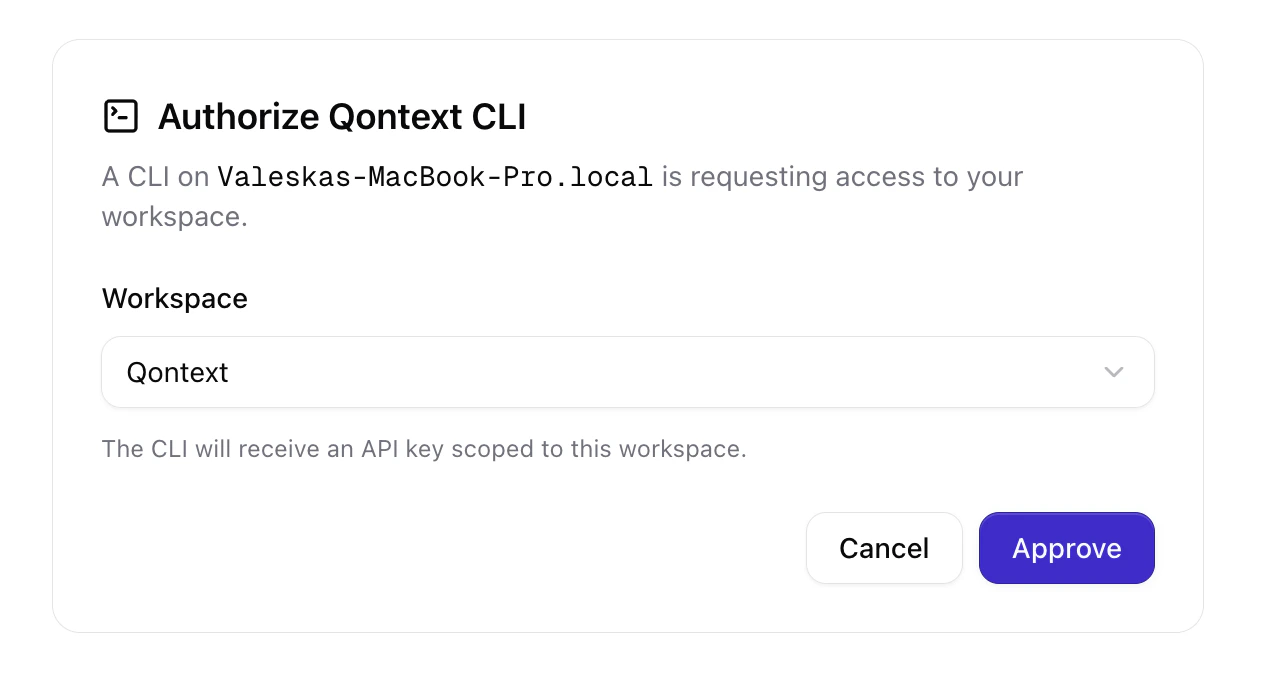
3
Install a skill by passing its link to the CLI:To get the link, open the Context tab in the app, select a skill, and click Install skill. You can then copy either the full install command or the short link.
Install skill warns when the skill includes files outside your access. Those files are not included in the installation, so the skill may not work as written. Ask for access to the rest of the skill folder.If the warning says files may be hidden, Qontext could not establish whether any were withheld. Check that the installed skill works before relying on it.
4
To keep skills up to date, use: