

Overview
A file in Qontext is a structured context object inside your context repository. It captures normalized, shared context about one core entity, for example a customer, product, project, process, or deal. Files are versioned, governed, and continuously updated from connected sources. They can reference source objects and link to related files. Therefore, agents can follow entity, temporal, semantic, and causal relationships across your context repository.Viewing files
Files are available in the Context tab. The context repository is shown as a folder tree. Selecting a file renders its Markdown content in the detail panel.Relationships and links
Files are connected through explicit references between entities, facts, and source objects. This enables:- Targeted context: Load the most relevant file first, then follow links only when more context is needed.
- Graph traversal: Follow entity, temporal, semantic, and causal relationships across files.
- Single source of truth: Update context once and reuse it across clients, APIs, and workflows without duplicate copies.
Retrieval logs
Each file includes retrieval logs showing when it was accessed and how.Logs are scoped to the selected file and include access types such as listed or read. This helps you see what an AI agent accessed, trace outputs back to specific context, and identify the most impactful files on AI responses.
Creating files
1
Add a new file
In the Context tab, select the folder where you want the file to live, then choose Add → New file. To create a file directly in the workspace root, use Create file or folder above the tree and select New file.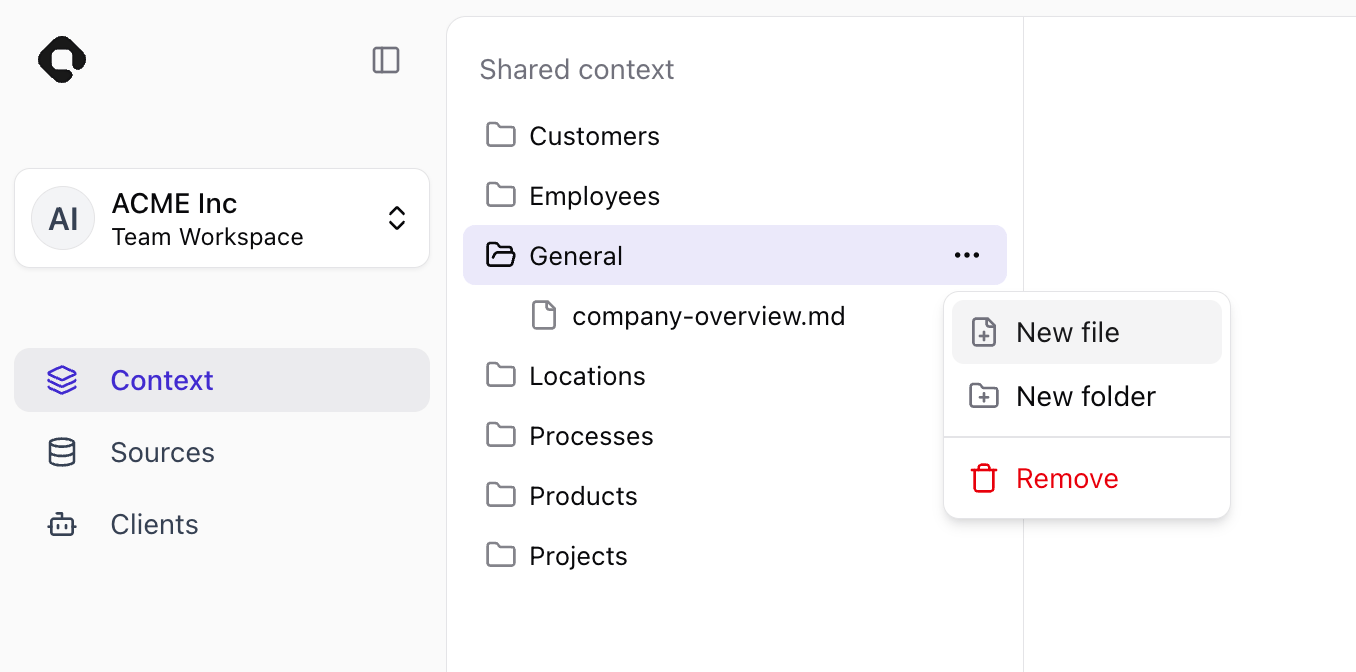
2
Rename it
The new file opens in the editor. Rename it and add your content, then click Save, optionally add a reason, and confirm.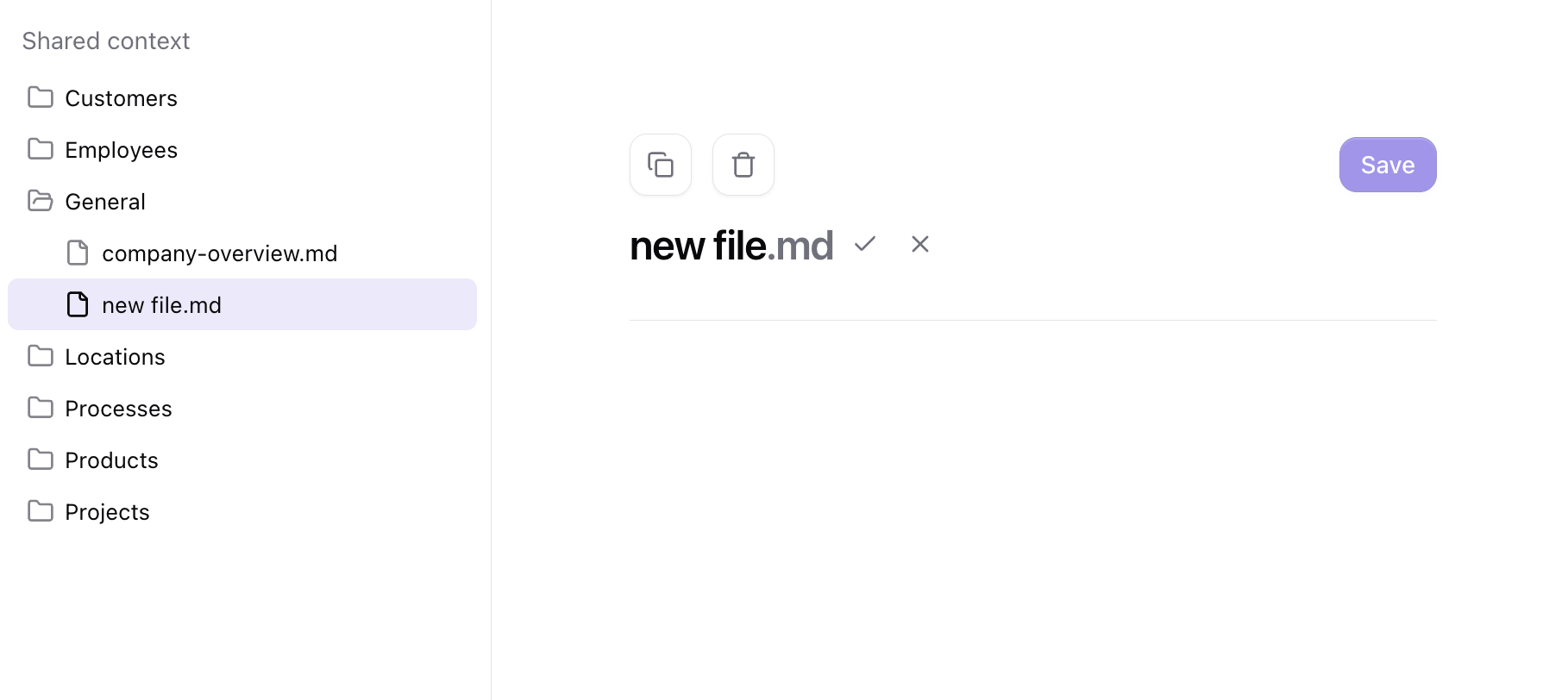
Moving and renaming
- Files: Open File settings to change the file’s Name or Location. Select / as the location to move it to the workspace root.
- Folders: Select the folder and open Settings to change its Name or Location. Moving a folder also moves everything inside it. Select / as the location to make it a top-level folder.
Editing files
1
Select a file
Open the Context tab and select a file from the repository tree.
2
Edit the content
Update content using the formatting toolbar or Markdown shortcuts.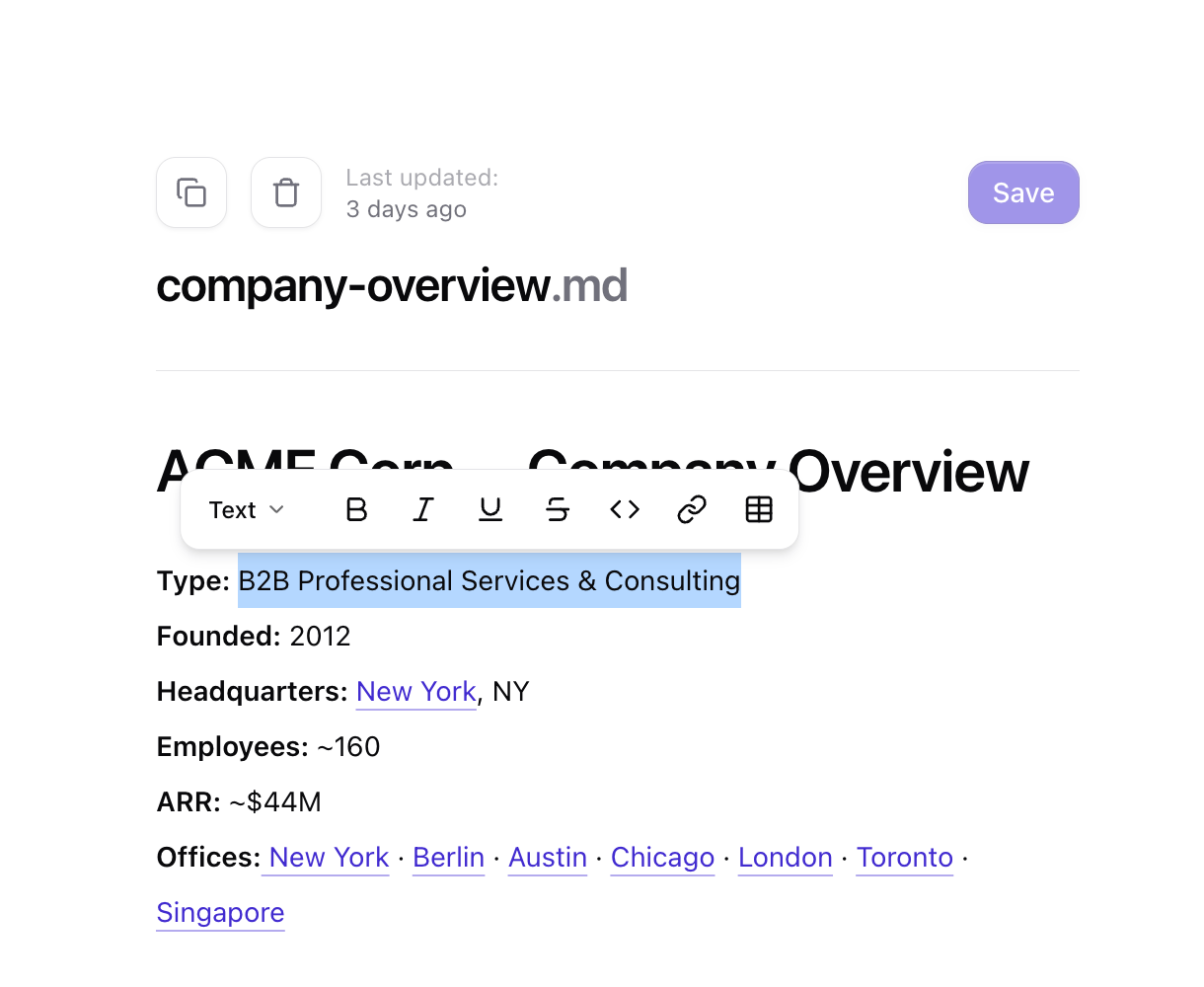
3
Save your changes
Click Save, optionally add a reason, and confirm to finalize the edit.
- Rename files directly in the editor by changing the title and confirming the update.
- Delete a file directly in the Qontext app by using the delete action and confirming it. Deletion is permanent.
- Switch to the raw Markdown editor via the selector at the top right to edit the raw Markdown directly.