

- Keep your context repository current from automated workflows
- Search company context by meaning or with a regular expression
- Read and update files and folders from your scenarios
Installation
1
Add a Qontext module
Create a scenario in Make, click +, and search for Qontext. Select the verified app, then choose a module for your workflow.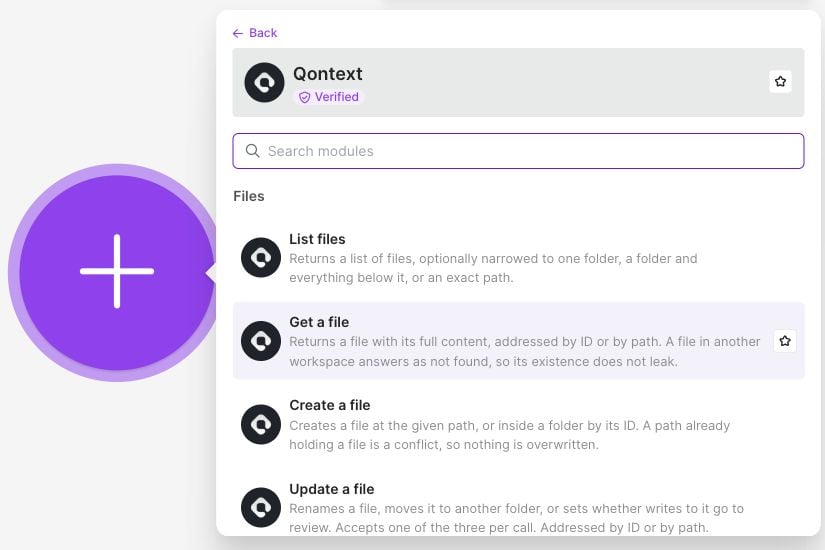
2
Create a connection
Create an API key in the Qontext platform under Clients → API Keys. In Make, click Add beside Connection, name the connection, paste the API key, and click Save. You can reuse the connection in other Qontext modules.Under Advanced settings, leave Base URL empty to use 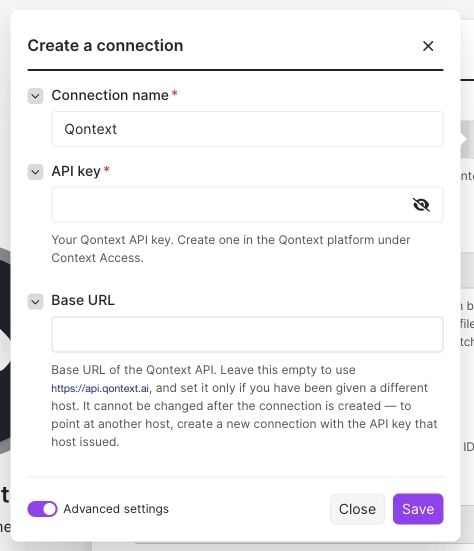
https://api.qontext.ai. Set another host only if one was provided for your workspace. Changing the host later requires a new connection.Available modules
The API key determines the workspace and access. Existing files and folders can be selected from a picker, addressed by a mapped ID, or addressed by an absolute path.
Important behavior
- Create does not overwrite. An occupied file path returns a conflict.
- Content updates require a base change ID. Map the Last Change ID from a file read, creation, or previous accepted content update into Base change ID, and provide the complete new Content. Update a file changes metadata such as the name or location.
- Search returns context, one bundle per matching file. Use an Array aggregator if the next step needs all results in one request.