

Overview
Retrieval logs show which context was accessed by which client. Use them to:- Understand what context an agent retrieved
- Trace outputs back to specific files
- Verify that clients use the expected context
- Audit access to your context repository
Per API key
To inspect retrieval activity for a specific client: Open Clients → API Keys, select an API key, and go to Retrieval logs.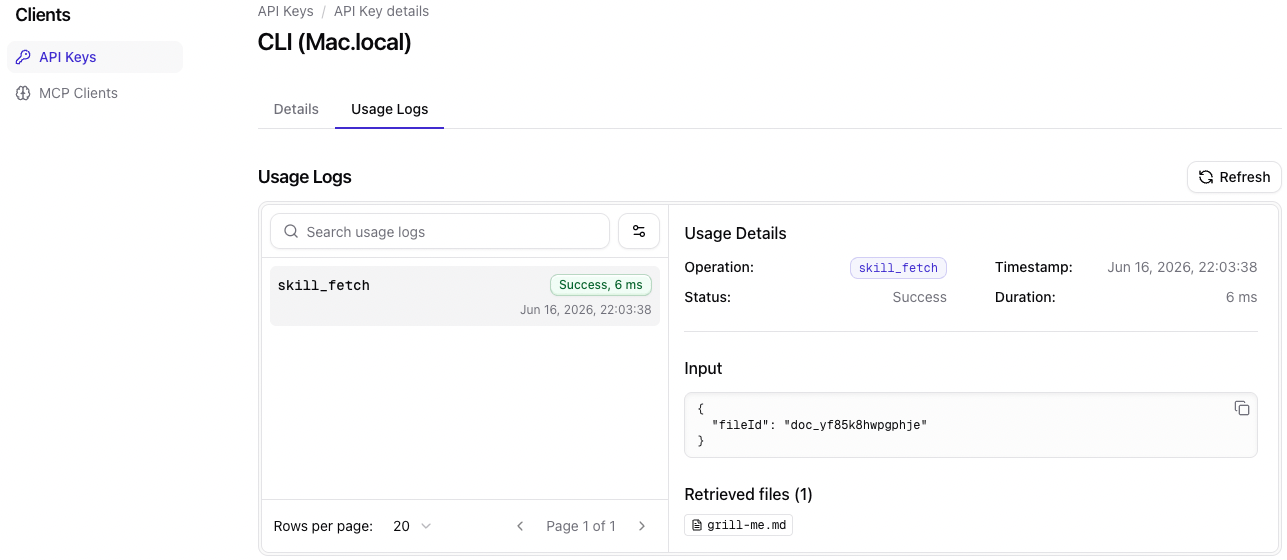
- Debugging an agent
- Verifying client configuration
- Understanding retrieval patterns
- Investigating unexpected outputs
Per MCP client
To inspect retrieval activity for an MCP client: Open Clients → MCP Clients, select an MCP client, and go to Retrieval logs.Per file
To inspect retrieval activity for a specific file: Open a file in the Context tab and open the Retrieval logs dropdown in the editor top bar.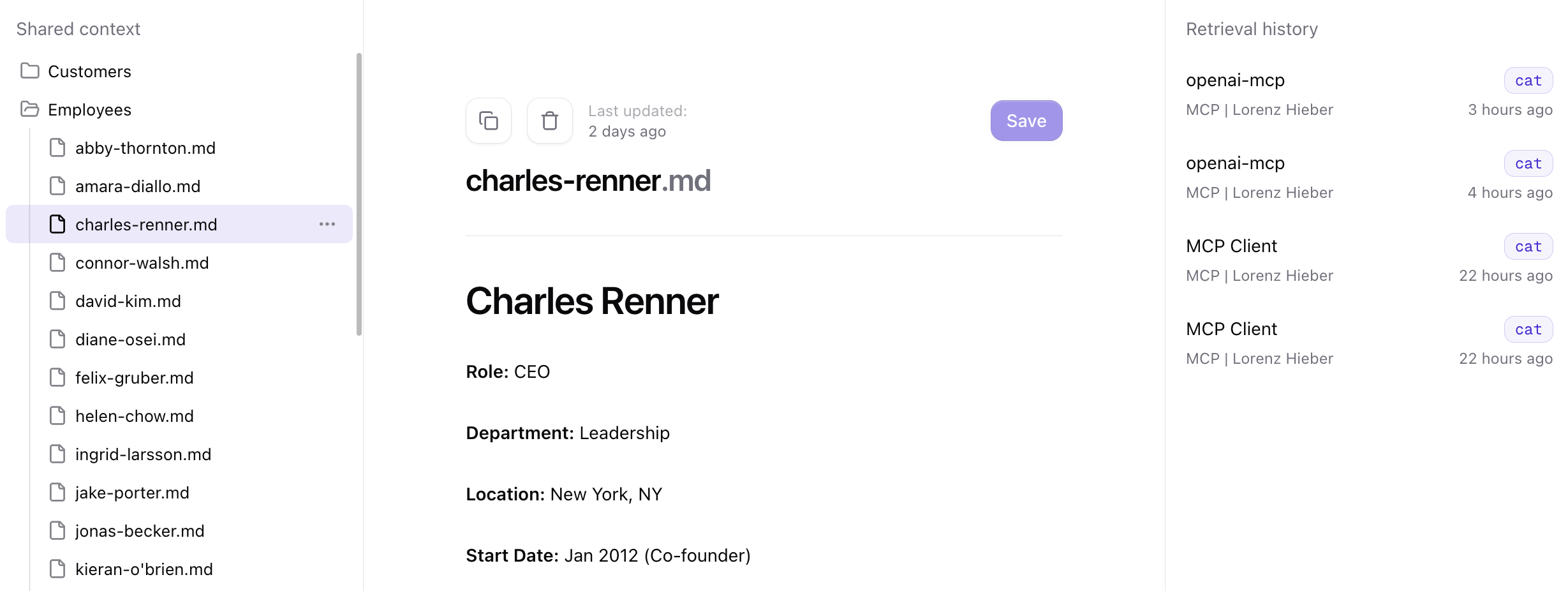
- Understanding how often a file is used
- Seeing which context agents accessed
- Investigating why a file influenced a response