

- Keep your context repository current from automated workflows
- Search company context by meaning or with a regular expression
- Give n8n AI agents tools to find, read, and update context
Installation
1
Create a new workflow
In your n8n dashboard, create a new workflow, select a trigger, and click + to open the Nodes panel.
2
Search for Qontext
Type Qontext in the search bar and select the verified node from the results.
3
Install the node
Click Install node in the node details panel. An instance owner or admin must first install a verified node. After that, everyone on the instance can use it in workflows.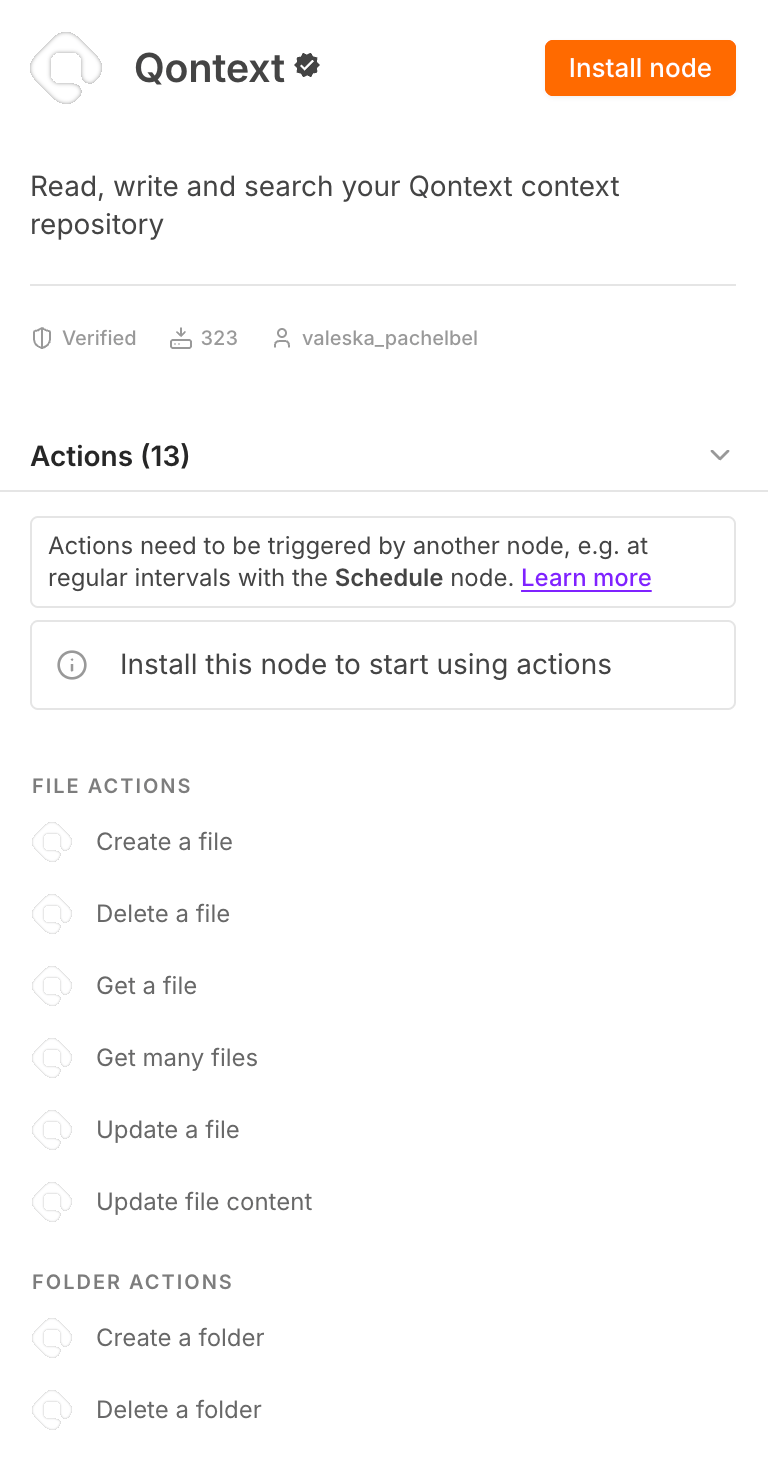
4
Choose a resource
Select File, Folder, or Search, then choose the operation for your workflow.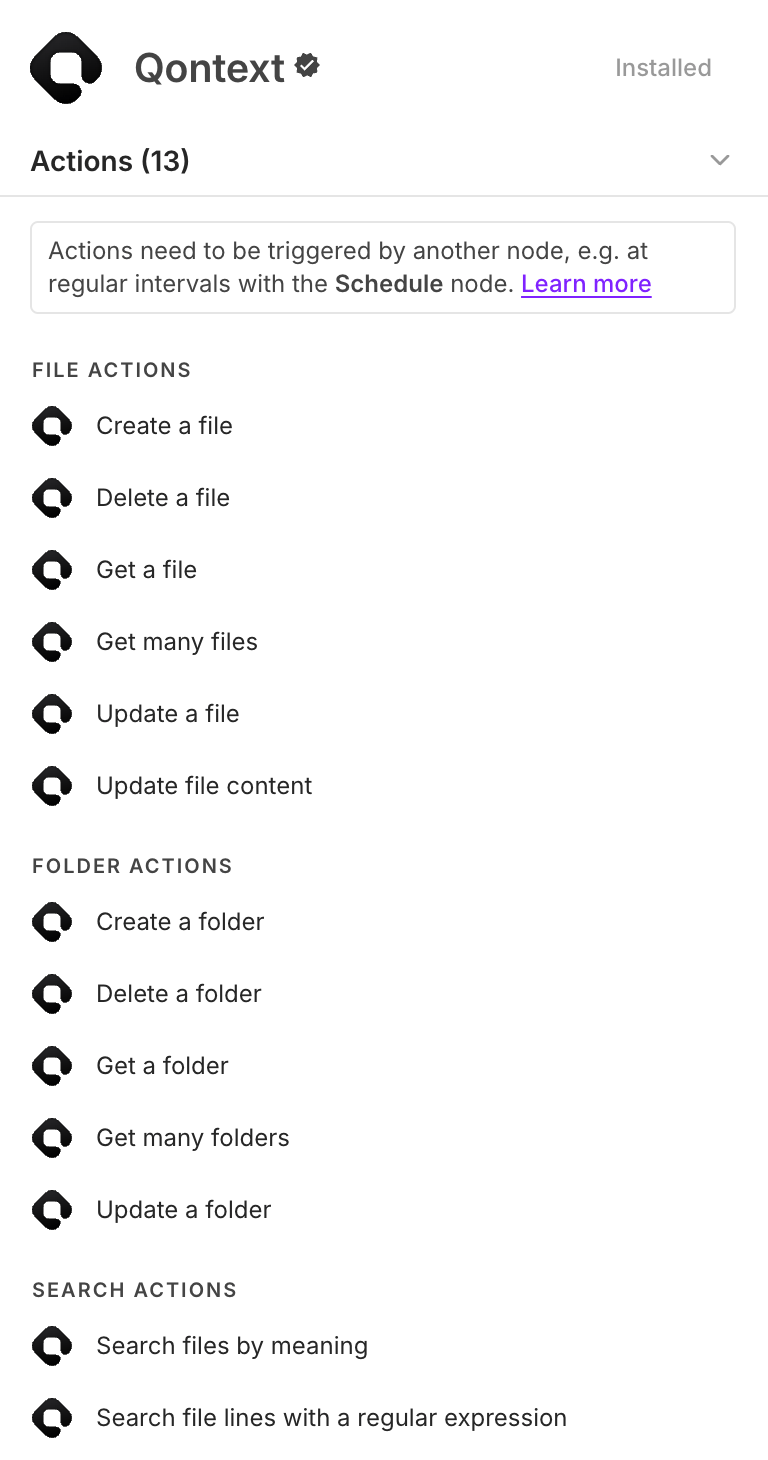
5
Set up your credentials
Create an API key in the Qontext platform under Clients → API Keys. In n8n, add a Qontext API credential, paste the key, and leave Base URL set to 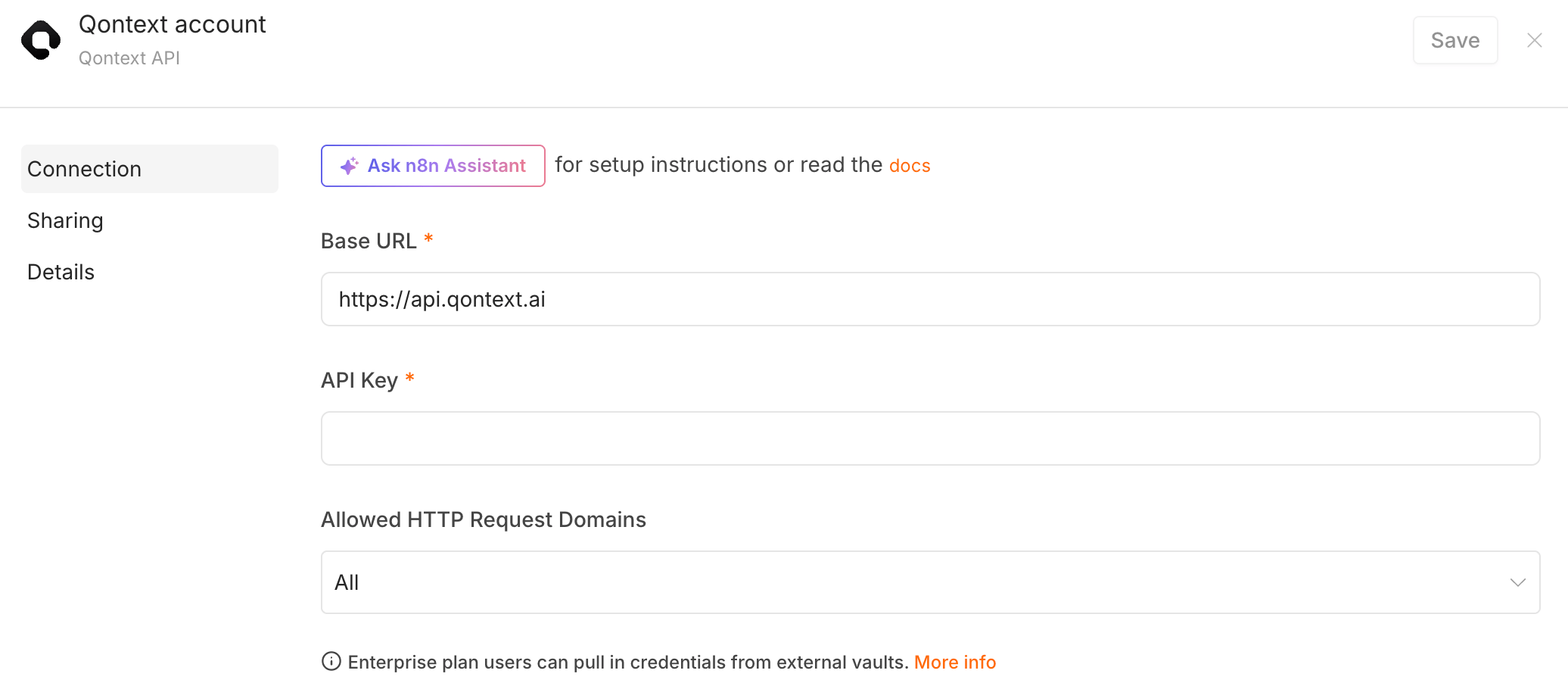
https://api.qontext.ai.The Qontext node is ready to use in your workflows and as a tool for n8n AI agents.
Available resources
The API key determines the workspace. File and folder fields let you select an item by ID or from a list, and supported operations also accept a path.
See the API Reference for endpoint documentation and examples.
Important behavior
- Create is not an upsert. If a file or folder already exists at the path, the operation returns a conflict instead of overwriting it.
- Get Many uses cursor pagination. Enable Return All to let the node follow every page automatically.
- Update Content starts with Get. Read the file first, then pass its
lastChangeIdinto Base Change ID together with the complete new content.
Upgrading from 0.1.x
Version 1.0 replaced the previous Ingestion and Retrieval resources. Existing workflows using those resources must be reconfigured:- Replace text ingestion with File → Create, or File → Update Content when the file already exists.
- Replace retrieval with Search → By Meaning.
- The API key now determines the workspace.
- Replace the saved credential with a new API key from Clients → API Keys. Keys created for 0.1.x do not work with version 1.0. Leave Base URL set to
https://api.qontext.ai.
Using Qontext in n8n
Use Qontext as a regular workflow step or connect it to an n8n AI Agent as a tool. Common patterns include:- Writing updates from a system of record into a structured folder
- Searching company context before drafting a support or sales response
- Letting an agent read a file, revise it, and write the new content back
- Listing every file below a path to review or report on a section of the repository