












Documentation Index
Fetch the complete documentation index at: https://docs.qontext.ai/llms.txt
Use this file to discover all available pages before exploring further.
Overview
System Instructions allow you to guide how data is interpreted (ingestion) and how context is selected and used (retrieval). You can set them at three levels: vault, data source, and API key. More specific levels override or refine broader ones where applicable. This lets you keep one consistent policy for a whole vault, or vary behavior per connector or per consumer (e.g. per API key).Usage
Vault level
To set up and manage vault-level instructions, go to the Context Vault settings in the Qontext app.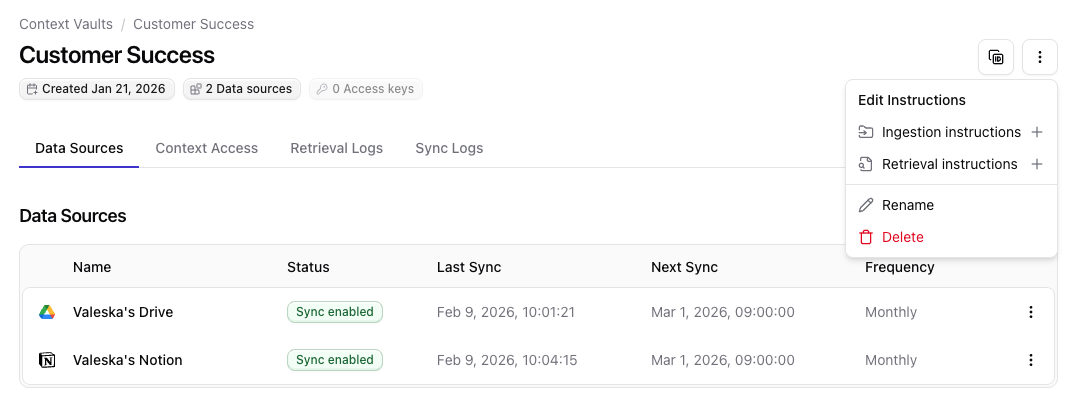
Ingestion instructions
Purpose: Global rules for how data is ingested into and linked inside the vault. Example:Retrieval instructions
Purpose: Default behavior for any retrieval from this vault. Example:Data source level
To set instructions for a specific data source, add the data source to your vault and enter them in the Ingestion Instructions step. See Data Sources for more information.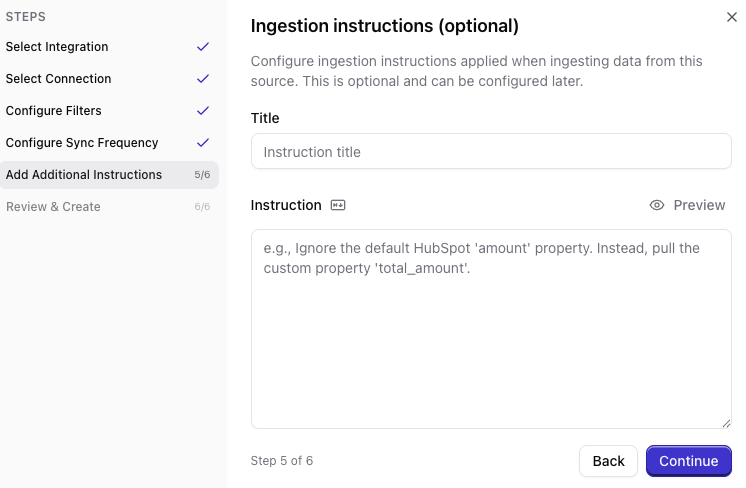
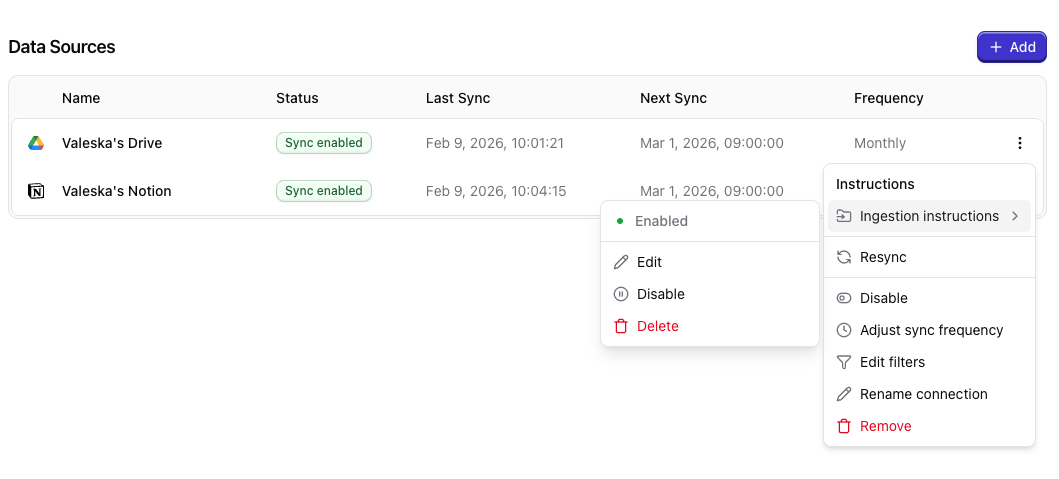
Ingestion instructions
Purpose: Source-specific rules, mappings, and explanations for data from that connection. HubSpot example:API key level
To set instructions for a specific API key, go to Context Access and create an API key.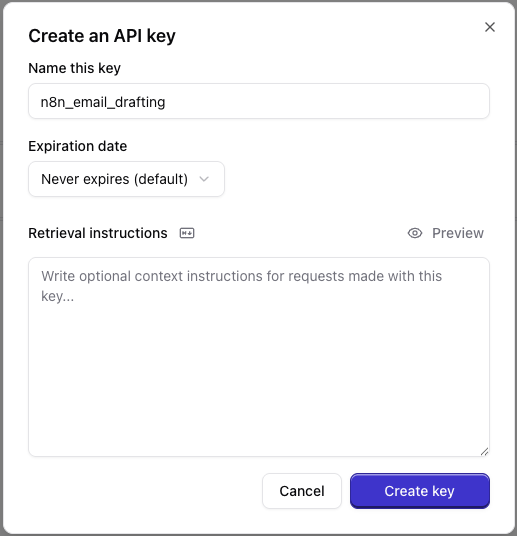
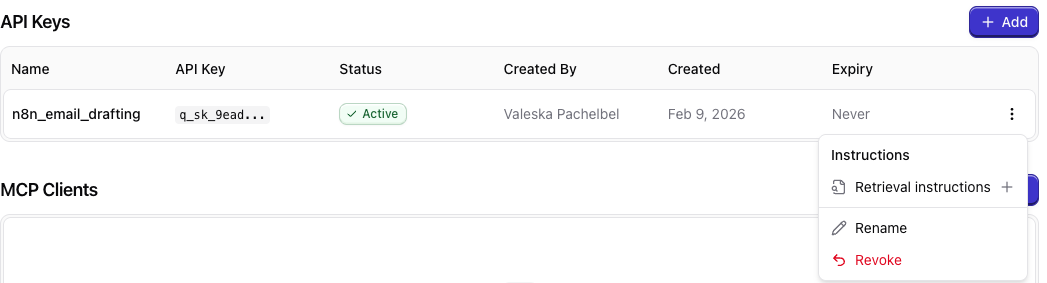
Retrieval instructions
Purpose: Use-case-specific weighting and constraints. Example:Best practices
Create instruction top-downStart with vault-level instructions for broad policy; add data-source or API-key instructions when you need finer control.
Avoid contradicting instructionsAvoid contradicting instructions across levels; more specific levels should refine, not clash with, broader ones.
FAQ
Do I need to set instructions on all levels?
Do I need to set instructions on all levels?
No, setting the instructions is not required on any of the distinct levels. However, we recommend to use them, as they can significantly improve your results by guiding the ingestion and retrieval in the right direction.